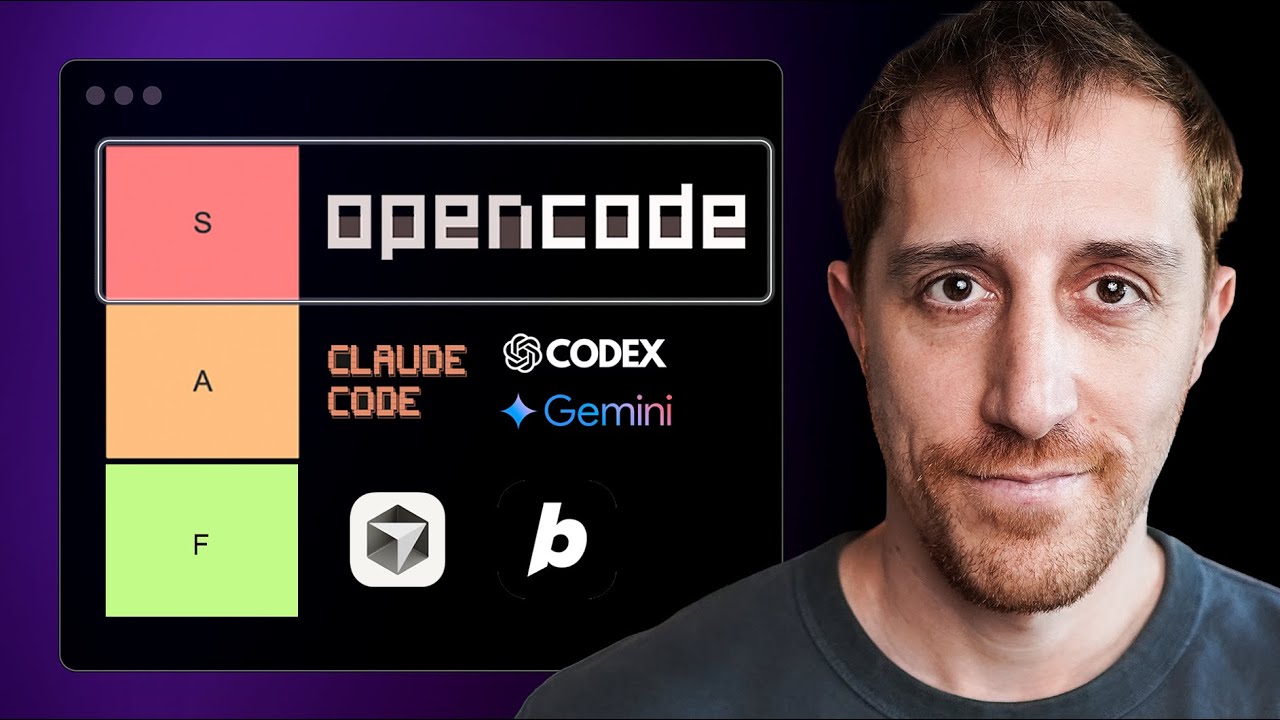
AI Coding Agents: Cross-Verified Analysis of 3 Expert Video Reviews
This page aggregates cross-verified analysis of 3 expert video reviews covering 101 claims about AI coding agents. You'll find consensus-driven recommendations on adopting AI assistants, setting guardrails, and navigating controversies like vibe coding. Trusted insights to help you safely integrate agentic coding into your workflow.
Which AI Coding Agent Should You Use?
Based on cross-verified analysis of 3 expert video reviews (101 claims) and hands-on tool evaluation. Each scenario highlights where reviewers' consensus lands and which tool is best suited for the job.
| Use Case | Claude Code | Codex | Cline | OpenCode | Best Pick |
|---|---|---|---|---|---|
| Zero-Cost AI Coding Agent | No free tier — requires Claude Pro ($20/mo) subscription | Free via ChatGPT Free tier with daily usage caps. The only genuinely free option among the four | Fully open source + BYO API key. Pair with a cheap LLM provider for near-zero cost | Fully open source + BYO API key. Lightweight, minimal overhead for quick tasks | Best Pick |
| Large-Scale Autonomous Refactoring | Plan mode, sub-agents, /loop. Deep context retention across multi-step, multi-file refactors | /goal command handles long-running tasks with Git work trees, but less mature for complex open-ended refactoring | Custom mode definitions and multi-step plans work well, but lacks the deep context window of Claude Code | Capable but new — the agent loop works for straightforward tasks, untested on very large codebases | Best Pick |
| Engineering / Production Reliability | Powerful but token-intensive and occasionally unpredictable — cost and output variance are concerns | Model-driven, transparent, and reliable. Built for pragmatic engineering with predictable outputs | Flexible (any model) but reliability depends on the provider you choose. No built-in production pipeline | Promising but early-stage. Lack of extensive real-world production testing | Best Pick |
| Quick Prototyping & Experimentation | Single-prompt execution is fast, but terminal-first workflow adds friction for quick experiments | Lightning fast for simple generation. /goal handles multi-step prototyping efficiently | Quick to set up with any model. VS Code-native makes it natural for iterative prototyping | DevOps Toolbox review calls it "the best coding agent" — lightweight, fast loop, excellent for rapid prototyping | Best Pick |
| Deep Customization / DIY Toolchain | 30 hook events, channels (Telegram/Discord), SDK. Customizable but closed-source limits deep modification | ~6 hook events, GitHub @Codex integration. Opinionated workflow — hard to bend to custom needs | Open source, swap any model, custom mode definitions, MCP support. Ultimate flexibility for power users | Open source but newer — smaller plugin/hook ecosystem compared to Cline | Best Pick |
| Team / Enterprise Adoption | Claude MD files (enterprise/user/project/local) for governance. Solo-tool-first but team features emerging | GitHub @Codex auto-connects to repos, supports team workflows via shared agents. Strongest GitHub integration | No built-in team features — relies on VS Code sharing and manual config. Best for individual power users | Too new for serious team deployment. Solo tool for now | Best Pick |
| Beginner-Friendly Onboarding | Terminal CLI is intimidating. Requires comfort with command-line and prompt engineering | VS Code extension + GitHub integration. Familiar environment, lower learning curve | VS Code-native with a straightforward setup. Easy to start: install, add API key, go | Terminal-based like Claude Code. Simple but assumes CLI comfort | Best Pick |
| Code Review & Quality Assurance | Strong at catching subtle bugs and design issues. Can review entire files with 1M context | Solid code review capabilities integrated with GitHub PRs. Natural fit for existing review workflows | Good for quick checks and inline suggestions. Lacks dedicated review workflow compared to Codex | Basic agent capabilities — code review not a primary focus in current development | Best Pick |
Feature & Specs Quick Look
| Spec | Claude Code | Codex | Cline | OpenCode |
|---|---|---|---|---|
| Core Facts | ||||
| Developer | Anthropic | OpenAI | Community (open source) | Community (open source) |
| Release Year | 2025 | 2026 | 2025 | 2026 |
| Open Source | No | No | Yes (Apache 2.0) | Yes (MIT) |
| Platform & Access | ||||
| Interface | Terminal CLI + desktop app | Terminal + desktop + VS Code extension + GitHub | VS Code extension | Terminal CLI |
| Supported Models | Claude Opus / Sonnet / Haiku only | GPT-Codex / GPT-Codex-Spark | Any (Claude, GPT, Gemini, local via Ollama, etc.) | Any (Claude, GPT, Gemini, etc.) |
| Context Window | Up to 1M tokens | ~256K tokens | Provider-dependent (up to 1M via Claude) | Provider-dependent |
| Pricing | ||||
| Entry Cost | $20/mo Claude Pro | Free (ChatGPT Free tier) | Free + BYO API key | Free + BYO API key |
| Top Tier | $200/mo Max 20X | Pay-per-use per token | N/A (bring your own key) | N/A (bring your own key) |
| Token Efficiency | Low — burns tokens for detailed, high-quality outputs | High — ~half the token consumption of Claude Code | Varies by provider — user controls cost by choosing the model | Varies by provider — lightweight design minimizes overhead |
| Autonomy & Features | ||||
| Autonomous Mode | Plan mode, /ultra plan, sub-agents, /loop | /goal long-running tasks, computer use QA | Custom modes, multi-step plans, autonomous file ops | Agent loop with tool calls, file editing, shell commands |
| MCP / Integrations | 30 hook events, Telegram/Discord channels, SDK | GitHub @Codex, ~6 hook events | MCP support, VS Code extension API | Minimal — CLI pipes and shell integration |
| Customization | CLAUDE.md (enterprise/user/project/local), custom hooks | Minimal — opinionated workflow by design | Custom mode definitions, rules files, any model provider | Configuration via CLI flags and env vars |
| Best Pick | ||||
| Zero Cost | Best pick | |||
| Autonomous Refactoring | Best pick | |||
| Production Reliability | Best pick | |||
| Rapid Prototyping | Best pick | |||
| Custom Toolchain | Best pick | |||
| Team Workflows | Best pick | |||
Specs based on official documentation and marketplace listings as of July 2026. Prices and features may change. Source links available in each tool's topic analysis.
This page aggregates cross-verified analysis of 3 expert video reviews covering 101 claims about AI coding agents. You'll find consensus-driven recommendations on adopting AI assistants, setting guardrails, and navigating controversies like vibe coding. Trusted insights to help you safely integrate agentic coding into your workflow.